Mobirise Website Builder

Tutorial For Cardmarket Orders


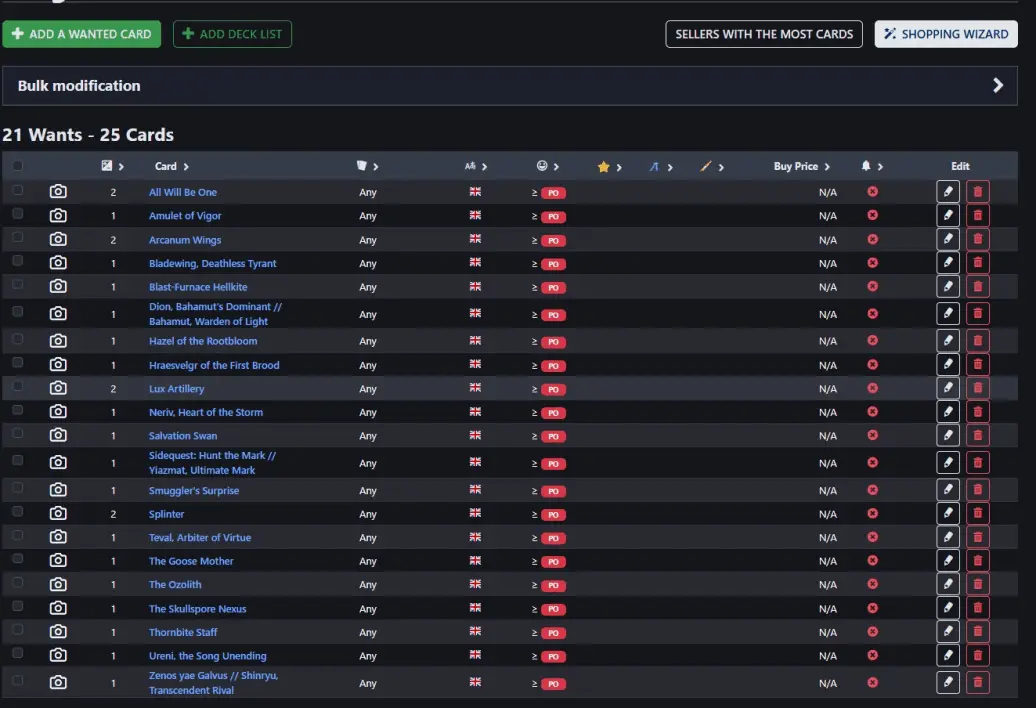
Step 1. Make a wantlist on cardmarket.
This wantlist makes the ordering process easier for future orders. I update my inventory every week.

Although, it is not obligatory to start with step 1.
The alternative is to check card by card.


Mobirise Website Builder

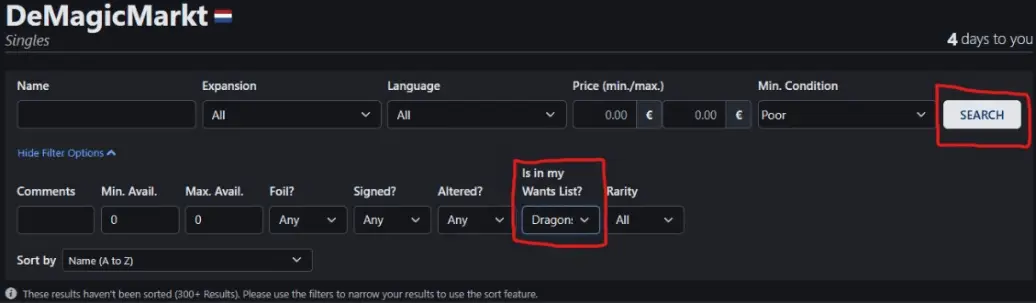
Step 2. go to my inventory on cardmarket https://www.cardmarket.com/en/Magic/Users/DeMagicMarkt
Check your list in my inventory

Mobirise Website Builder

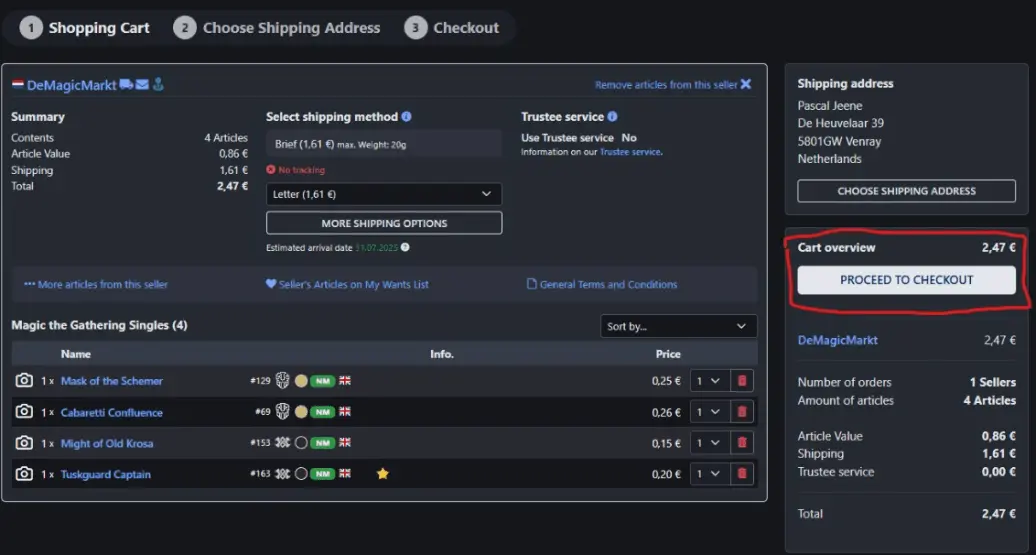
Step 3. Make an order and proceed to checkout. 

Mobirise Website Builder

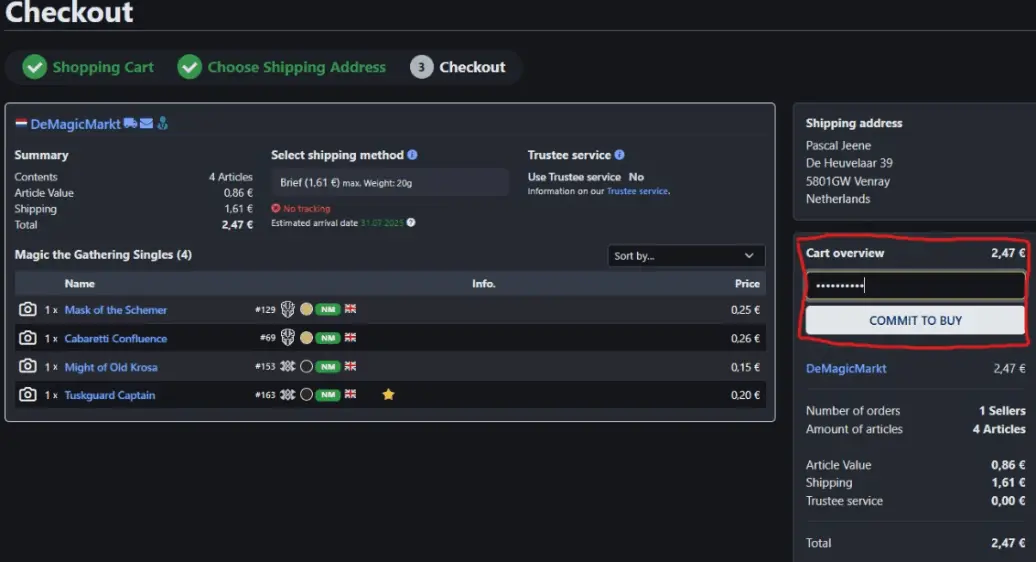
Step 4. Make sure you Commit to buy. 

Mobirise Website Builder

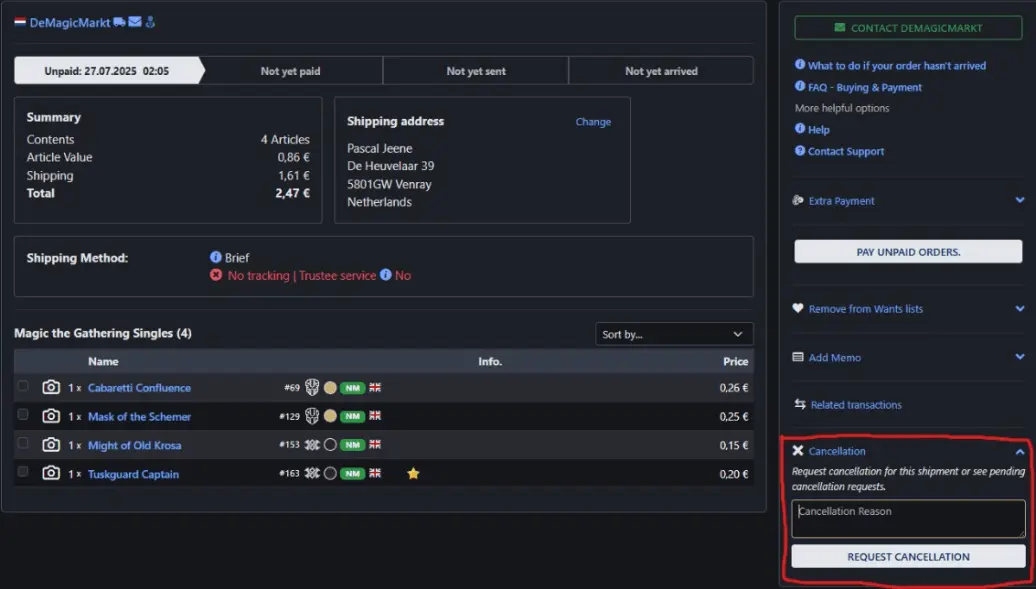
Step 5. Request Cancellation.  Give reason ''Ophalen''For pick up''


I will let you know when your order is ready to collect.
This should take no longer than 1 or 2 work days.
Of course you don't need to pay for shipment.

Happy shopping!

HTML Generator